Changelog: Profiles 2.0
Profile are getting a huge upgrade, with a new featured section, a community highlight, and worlds reordering!

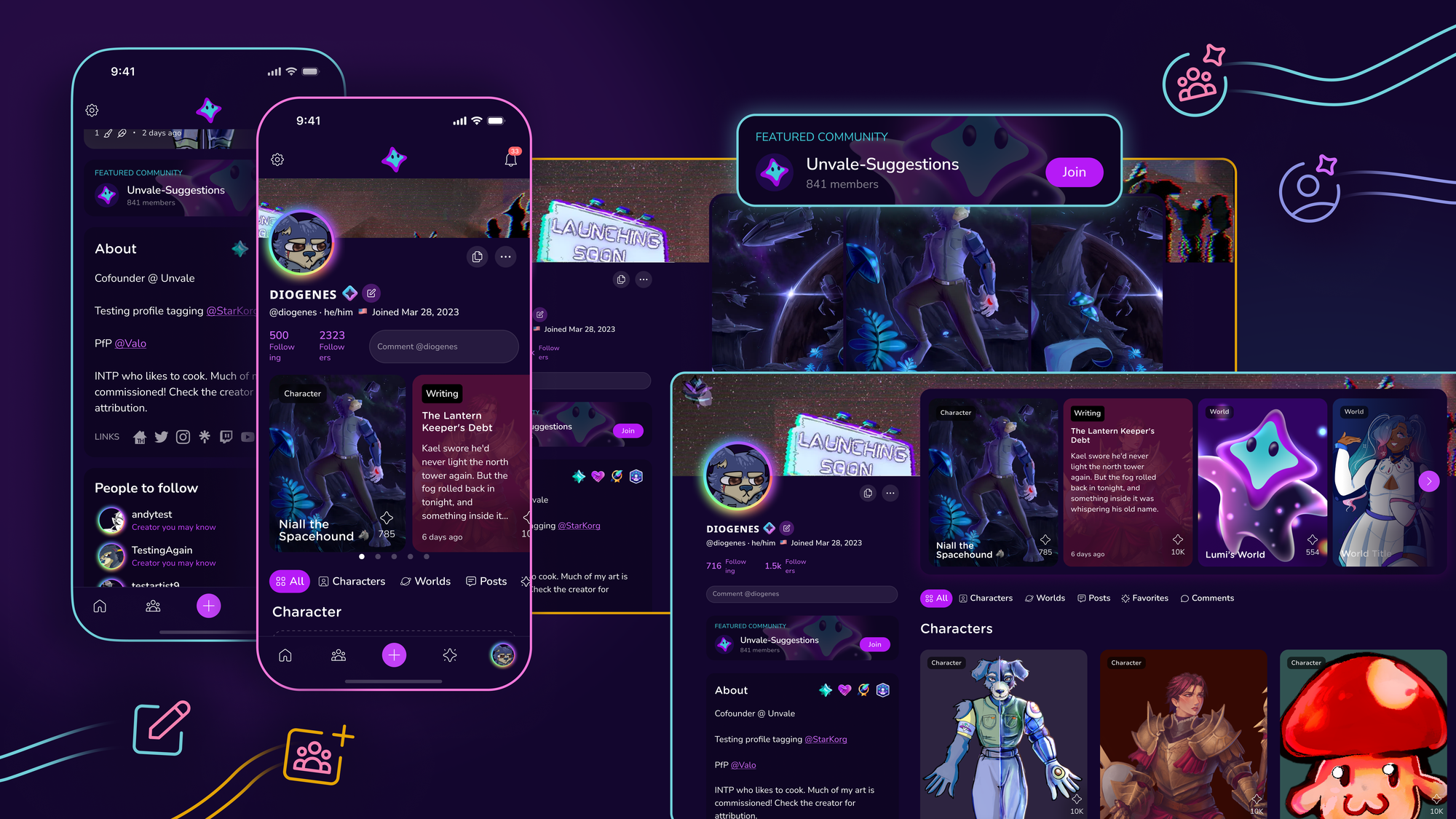
We’ve been hard at work on profiles, making them flexible while keeping everything you already love about them.
The BIG things:
Featured Creations Section - You can now choose to feature creations at the top of your profile, highlighting worlds, art, writing, or characters. Be creative! (Click Edit Profile to access)
Community Spotlight - If you are a community creator, admin, or just a fan, you can highlight your favorite community on your profile.
Profiles are one click away! - Many of you go to your profiles often. It's now just one click away, with all the previous options accessible on your profile menu (...).
…Oh yeah, and you can REORDER WORLDS now! (Click on the three-dot menu in the top right corner to move them to the front or back)
Tripanels are still there. Your About page is safe. And we made it easier to access comments.
Full updates below:
- Commenting is easier than ever with a comment box right at the top of profiles.
- See all the badges you still haven't earned by clicking the badge section!
- Banner editing now shows guidelines so you can get them perfect on mobile and desktop!
- Profiles now look better without tripanels, highlighting the content you have and your About page automatically.
- We now "waterfall" all of your creations, so if you only have posts or worlds, you see those on your profile instead of it seeming completely empty (non-OC creators rejoice).
- Added a comments tab so you can see a full list with just a click.
- We now recommend people you can follow at the bottom of a profile.
- Transfers are now in your profile menu (along with account settings).
We also made some improvements based on feedback from our last release, including larger favorite/comment icons on posts and fixing their layout.
New releases coming soon (as always)