
Changelog: Spoilers and Community Admin
Scroll spoiler-free and add admins to your communities.
Hey Folks! We are excited to announce the release of some highly requested safety and community features. Here's a rundown:
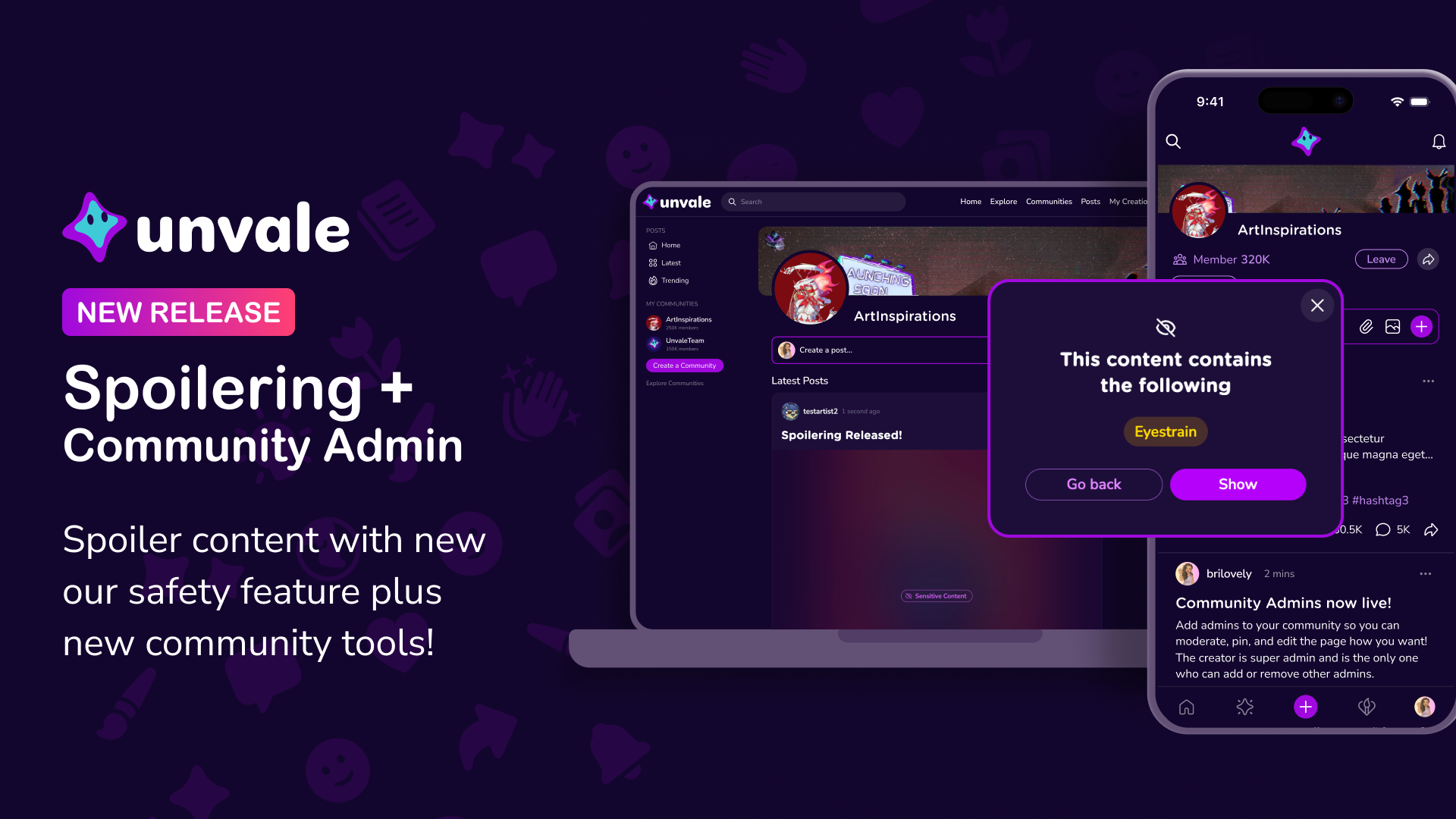
- Spoilers for sensitive content - Spoiler sensitive content - Unvale users can now apply a sensitive content filter on posts, characters, and creations on Unvale. You can provide context by tagging an option–like eyestrain or phobias–and a filter will be applied. This will help make the Unvale browsing experience safer and more pleasant for all!
(Just click a post or creation and find the eye, and you can select the spoiler tag to be applied)
- Community Admins - Community creators can now add admins! They can pin posts, remove posts, help edit your community, and remove problem users.
- Community Categories - We’ve had thousands of communities made on Unvale. So we made it easier to find what your interests are. From fan communities to writing to collab worlds, now you can find your people around the stuff you love.
- Community Improvements - Communities are now organized by notifications. You can easily “mark all as read”. And now you can easily favorite or see comments on pinned posts.
Get out there and give the new features a whirl! But please use spoiler tags for their intended purpose and give people a heads up if content may be sensitive.
You can also read more about spoilering on our help desk - https://help.unvale.io/en/articles/15002159-spoilering
Thanks, everyone!